FormAI
AI Rendering for Autodesk Revit & Rhino
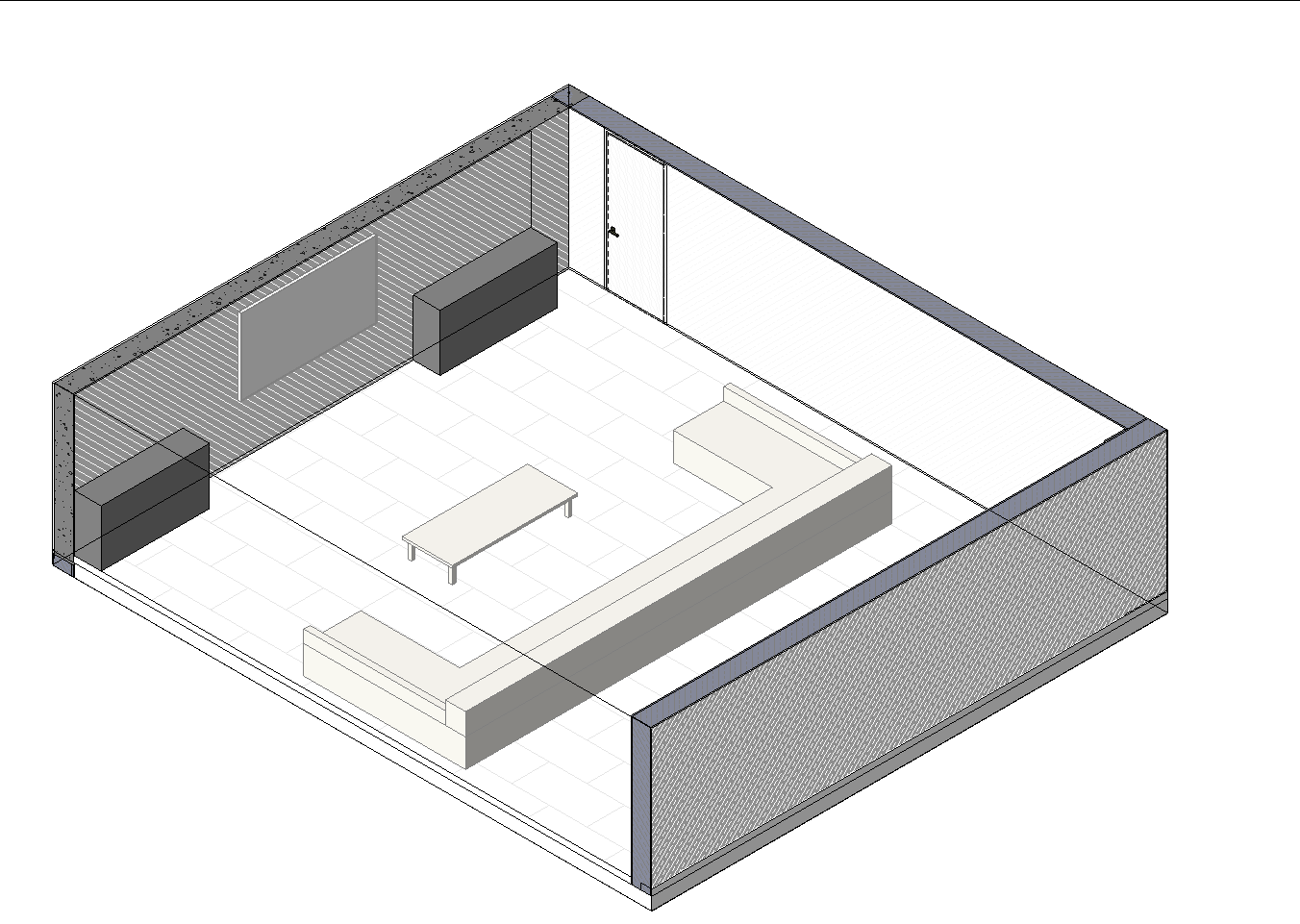
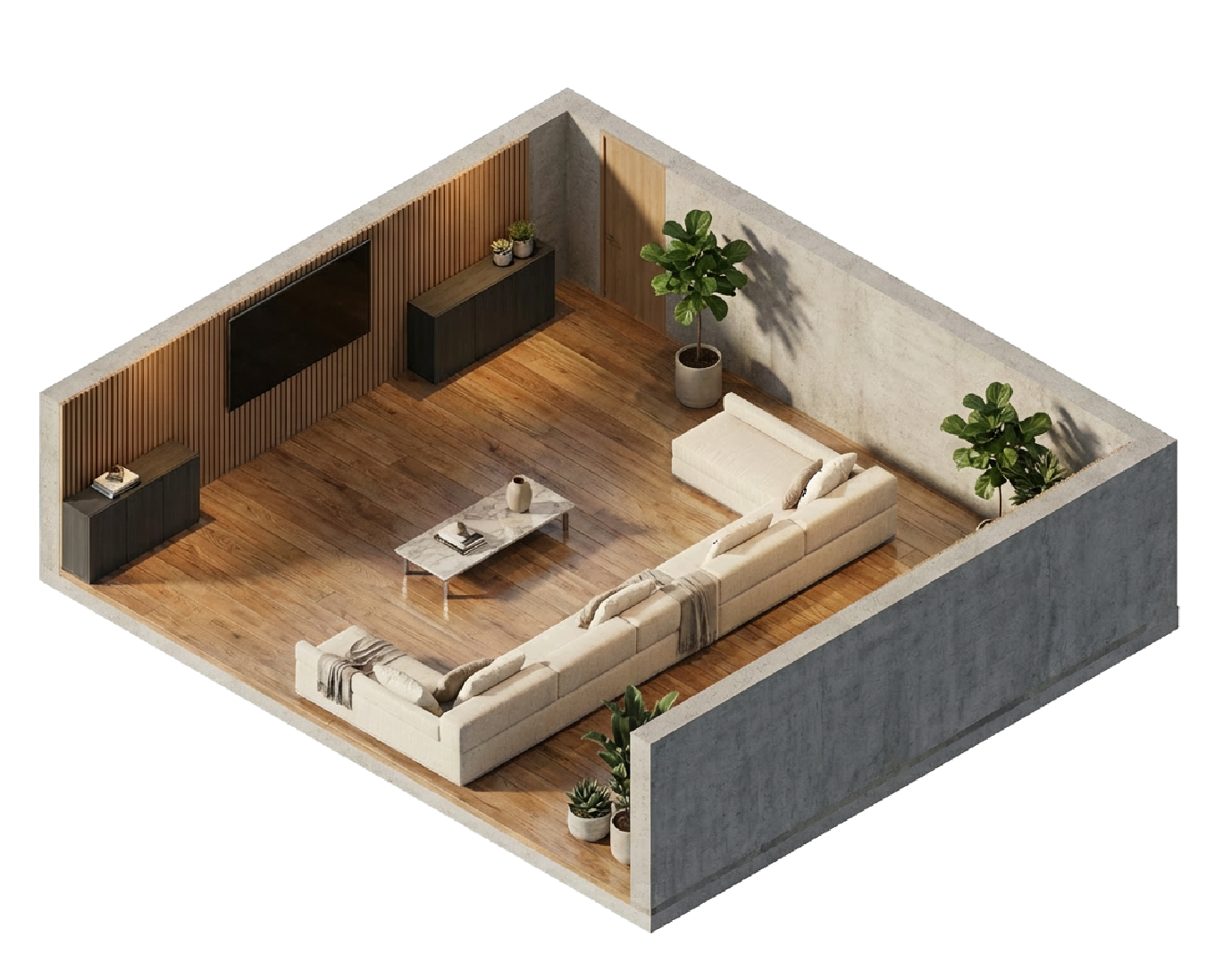
An AI-powered rendering plugin embedded directly inside Autodesk Revit and Rhino, designed for architects and designers who want photorealistic visuals without leaving their model. Select a 3D view, click render, and FormAI transforms it into a studio-quality image — materials, textures, and lighting, all enhanced in seconds.
// after — ai render
How it works
FormAI reads your Revit or Rhino model directly — materials, furniture, finishes, and geometry. It captures your 3D view, sends it to an AI image model with full material context, and returns a photorealistic render — placed straight into a drafting view in Revit, or saved to your FormAI Renders folder in Rhino. No exporting, no external software, no post-production.
// workflow
> Open a 3D view in Revit or Rhino
> Click Render in the FormAI panel
> AI generates a photorealistic image
> Result lands in a drafting view (Revit) or your FormAI Renders folder (Rhino)
Capabilities
01
One-click rendering
select any 3D view in Revit or Rhino and generate a photorealistic image instantly
02
Material-aware
reads your model's materials, finishes, and furniture to produce accurate, context-driven renders
03
Batch rendering
select multiple views and render them all in one go, no manual repetition
04
Custom prompts
fine-tune the output with your own rendering instructions and style preferences
05
Rework mode
refine a render by describing what to change, without starting from scratch
06
Direct output
in Revit, renders are placed into a new drafting view; in Rhino, they are saved to your FormAI Renders folder
07
Model context
captures surface types, furniture families, and material names to inform every render
Download
The plugin is available as an installer for Autodesk Revit and Rhino. Download the latest version below.
Supports Revit 2023, 2024, 2025, 2026
Supports Rhino 7, 8
// requirements
> Autodesk Revit 2023+ or Rhino 7+
> Windows 10 / 11
> Internet connection for AI rendering
Pricing
Download the plugin for free. Pay per render with credit packs. Every new account gets 10 free credits to try it out.
10
credits
£5.99
£0.60 per render
50
credits
£24.99
£0.50 per render
100
credits
£39.99
£0.40 per render
// best value
200
credits
£74.99
£0.37 per render
// credit costs
> Single render: 1 credit
> Dual render (consistent pair): 2 credits
> Rework: 1 credit
> Batch render: 1 credit per view
About
FormAI turns Revit and Rhino views into photorealistic renders — instantly, inside the application.
No exporting. No external renderers. No post-production.
Built for architects who think in models, not render queues.
// system.properties
> Architecture
> AI Rendering
> Photorealistic Output
> Revit & Rhino Integration
Contact
Interested in FormAI? Get in touch and we'll get back to you.